
Instagram
Authentication With Instagram Business Account
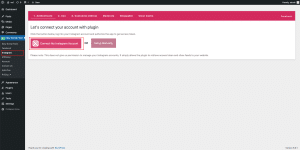
First, head over to your WordPress admin dashboard. Locate the Easy Social Feed section and click on the “Instagram” submenu. Click the button that says “Connect My Instagram Account.”
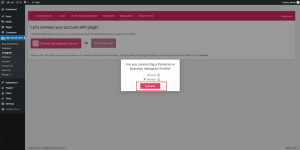
- You’ll be prompted to choose between a Personal or Business Instagram Profile, select “Business” and then click “Connect.”
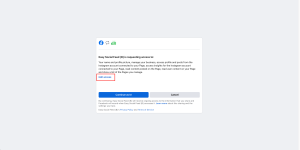
- You’ll be redirected to Facebook. Click “Edit Access” to open the Edit Requested Access window.
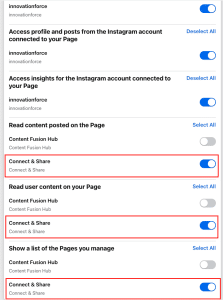
- Under “Manage Your Business,” choose the Facebook and Instagram accounts you want to link. For “Access Profile and Posts from the Instagram Account Connected to Your Page” and “Access Insights for the Instagram Account Connected to Your Page,” select only the Instagram account you wish to connect. If you have multiple accounts, make sure to choose the right one.
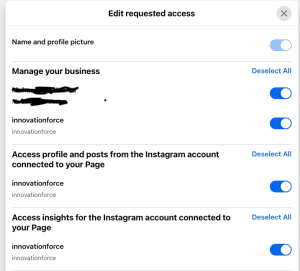
- For “Read Content Posted on the Page,” Deselect all the other pages and leave only the Facebook page associated with your Instagram account, in my case, it’s “Connect & Share.” Do the same for “Read User Content on Your Page” and “Show a List of the Pages You Manage.”
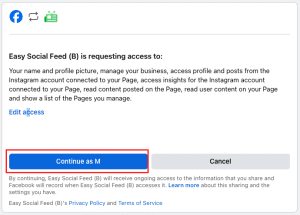
- After making these selections, close the window and click “Continue as [Your Name].”
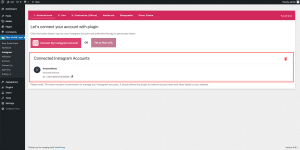
- The connection process may take a few seconds, but once complete, you’ll be redirected back to your site, and your account will be connected.
Was this article helpful?
Thanks for your feedback!
Can't find what you're looking for?
Our support team replies within one business day.