
Displaying social media feeds is not just about showing content, it’s about how that content is presented to your visitors.
If your feed takes up too much space or looks static, users may lose interest quickly.
That’s where the Carousel display in Easy Social Feed Pro becomes powerful.
It allows you to showcase your social posts in a sliding, interactive format, making your website more engaging and modern.
In this guide, we’ll cover:
- What Carousel display is
- How it works
- When to use it
- Free vs Pro differences
What Is Carousel Display?
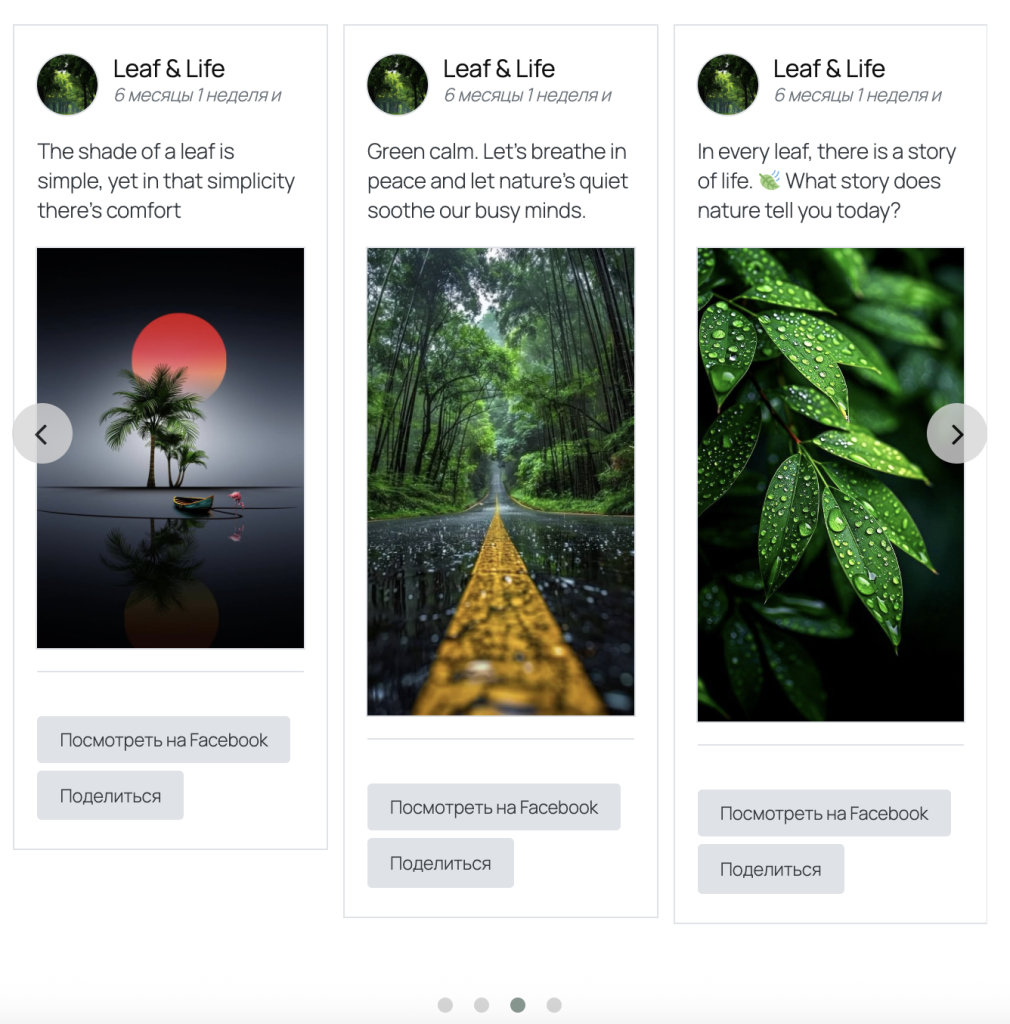
Carousel display is a layout where your social posts appear in a horizontal slider format.
Instead of showing all posts at once:
- Only a few posts are visible
- Users can scroll or swipe to see more
- Content moves smoothly in a sliding motion
This creates a clean and interactive experience.
How Carousel Works
With Carousel enabled:
- A limited number of posts are shown in a row
- Navigation controls (arrows or swipe) allow movement
- Users can scroll through posts horizontally
- Content loads in a compact and dynamic layout
On mobile devices, users can simply swipe through the posts.
Why Use Carousel Display?
Carousel layout solves common problems like:
- Too many posts taking up space
- Static-looking feeds
- Poor engagement on long pages
With Carousel, you get:
✔ Space-saving design
✔ Interactive user experience
✔ Better content presentation
✔ Improved engagement
Best Use Cases for Carousel
Carousel display works best in:
Homepage Sections
Show featured social content without taking too much space.
Landing Pages
Highlight important posts or promotions.
Product or Brand Showcase
Display selected posts in a clean sliding format.
Mobile-Focused Design
Perfect for swipe-based interaction.
How Carousel Is Managed in Easy Social Feed
In Easy Social Feed Pro, layout settings are handled inside the feed customization area.
To use Carousel:
- Choose a layout style that supports sliding behavior
- Adjust how many posts appear at once
- Configure spacing and responsiveness
As a best practice, avoid relying on exact UI labels layout options are available inside feed settings and customization areas.
Free vs Pro Feature Comparison
| Feature | Free Version | Pro Version |
|---|---|---|
| Basic feed layout | ✅ | ✅ |
| Carousel layout | ❌ | ✅ |
| Sliding interaction | ❌ | ✅ |
| Mobile swipe support | ❌ | ✅ |
| Advanced layout control | ❌ | ✅ |
Free version includes standard layouts.
Pro version unlocks interactive Carousel display.