
Even if your social feed displays perfectly, it still needs to match your website’s branding. Colors, spacing, and borders play a huge role in making your feed look professional and seamless.
With Easy Social Feed, you can customize these design elements using the Skins feature and the Live Preview Customizer.
In this guide, we’ll show you:
- How to change feed colors
- How to adjust spacing
- How to modify borders
- What features are available in Free
- What additional styling options come with Pro
Where to Customize Feed Styling
To change colors, spacing, and borders:
For Facebook:
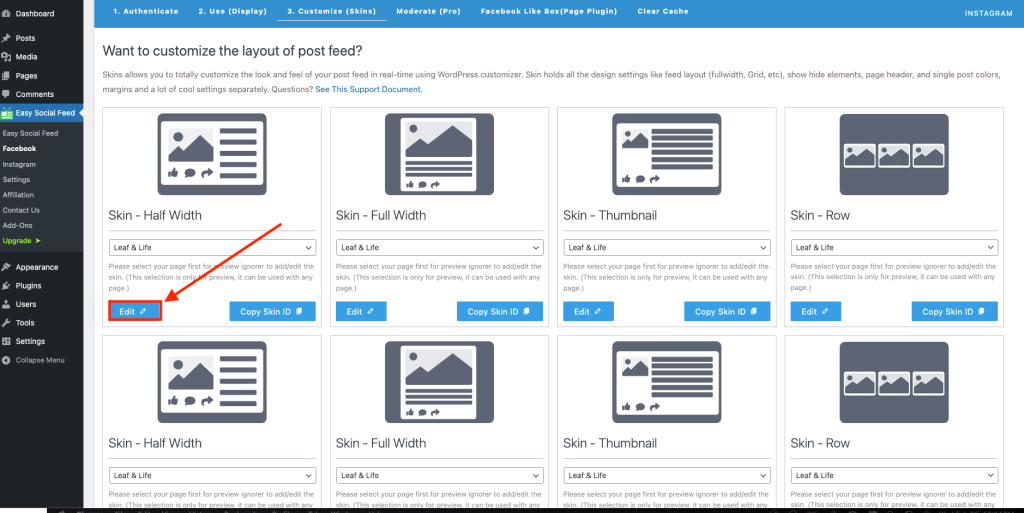
Easy Social Feed → Facebook → Skins
For Instagram:
Easy Social Feed → Instagram → Skins
Click Edit on your Skin to open the Live Preview Customizer.
Inside, you’ll see structured sections like:
- Layout Settings
- Header Settings
- Feed Settings
- Button Settings
- Media Settings (Facebook)
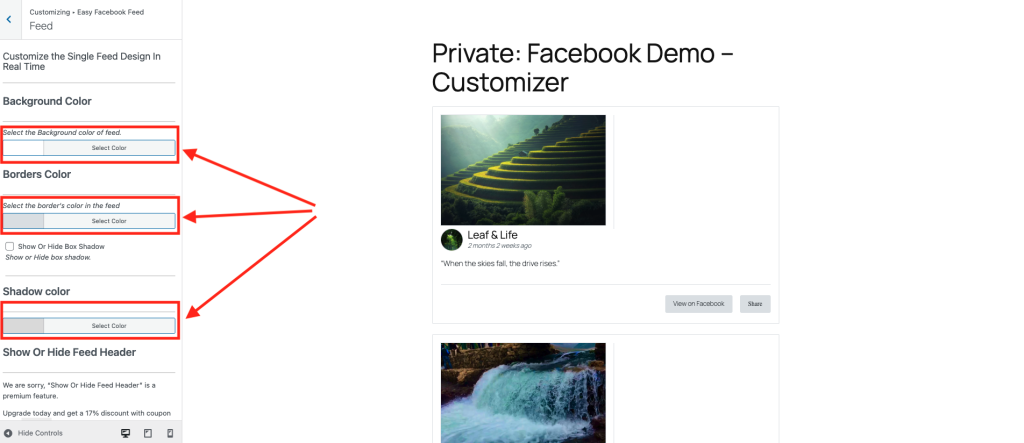
Most styling options are located inside Feed Settings and Header Settings.
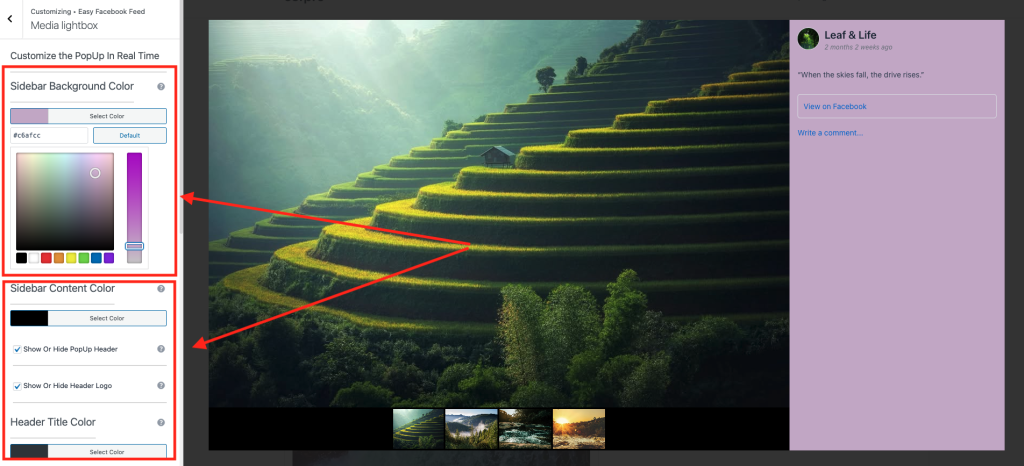
Changing Colors
Color customization allows your feed to blend perfectly with your website theme.
Available in Free Version
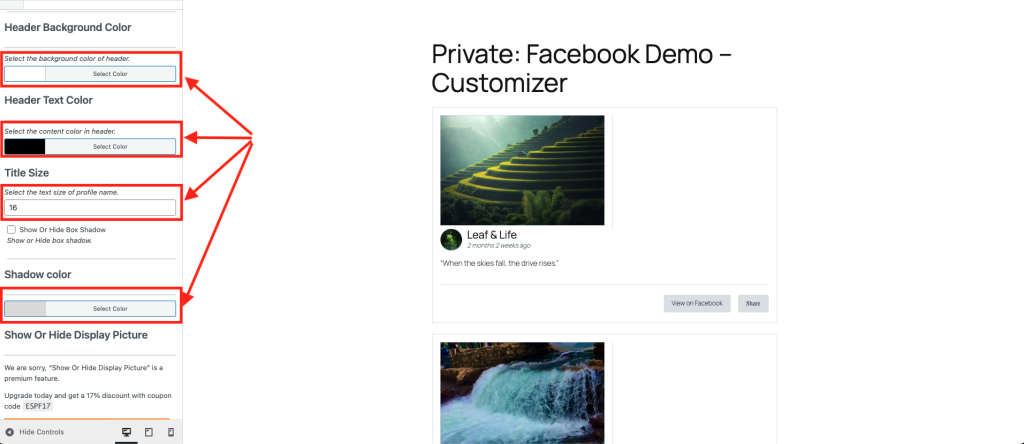
In the Free version, you can typically customize:
- Background color of feed posts
- Header background color
- Text color (captions, usernames)
- Button background color
- Button text color
This allows basic branding alignment.
Additional Color Controls in Pro Version
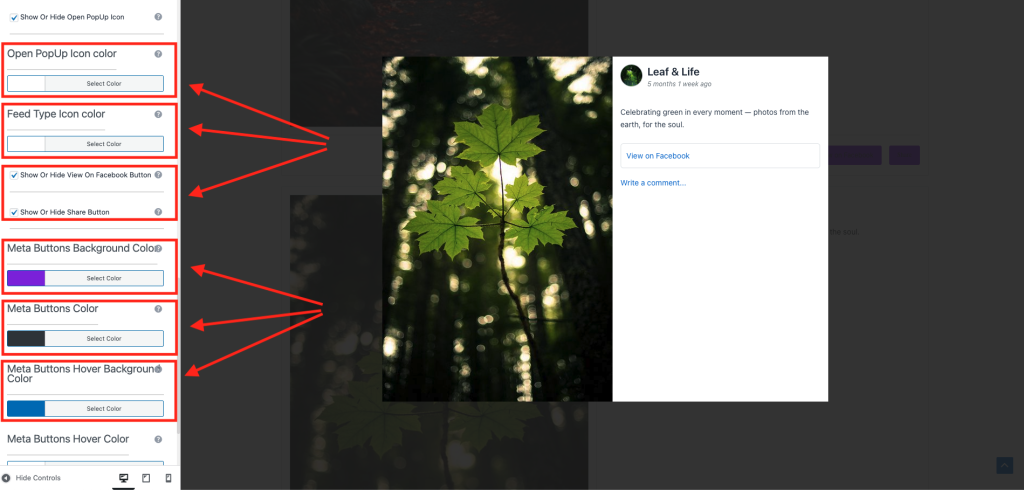
The Pro version expands color customization with:
- Hover effect colors
- Individual element color control
- Icon color adjustments
- Border hover colors
- Advanced typography color settings
This gives you deeper design control for premium layouts.
Adjusting Spacing
Spacing affects how clean and readable your feed looks.
Proper spacing improves:
- Visual clarity
- Mobile responsiveness
- Overall layout balance
Available in Free Version
In the Free version, you can adjust:
- Space between posts
- Padding inside posts
- Margin between feed elements
- Column spacing
These options help prevent your feed from looking crowded.
Additional Spacing Options in Pro Version
The Pro version may include:
- Separate desktop, tablet, and mobile spacing controls
- Advanced padding control for individual sections
- Header spacing customization
- Button spacing control
This allows pixel-level precision for professional designs.
Customizing Borders
Borders help define structure and add visual separation.
Available in Free Version
You can typically adjust:
- Border width
- Border color
- Post container borders
This is useful if your website uses card-style layouts.
Advanced Border Styling in Pro Version
With Pro, you may unlock:
- Rounded corner controls
- Hover border effects
- Custom border radius for images
- Individual border control for specific sections
This enhances modern UI styling.
Using Live Preview While Styling
One of the biggest advantages of Easy Social Feed is that all these changes can be seen in real time.
As you:
- Change background colors
- Increase spacing
- Adjust border width
You immediately see the update in the preview window.
This eliminates guesswork and speeds up design work.
Best Practices for Styling Your Feed
To keep your feed professional:
✔ Match background colors with your theme
✔ Avoid too many bright colors
✔ Use subtle borders for clean design
✔ Maintain consistent spacing
✔ Test on mobile before publishing
Remember: Simplicity increases engagement.
Free vs Pro Styling Summary
| Feature | Free Version | Pro Version |
|---|---|---|
| Basic background colors | ✅ | ✅ |
| Text color control | ✅ | ✅ |
| Basic spacing control | ✅ | ✅ |
| Basic border width & color | ✅ | ✅ |
| Hover effects | ❌ | ✅ |
| Advanced spacing (device-specific) | ❌ | ✅ |
| Border radius customization | ❌ | ✅ |
| Advanced typography control | ❌ | ✅ |
Free gives you essential styling.
Pro gives you advanced design flexibility.
When Should You Upgrade for Styling?
Consider upgrading to Pro if:
- You need pixel-perfect branding
- You want advanced hover effects
- You’re building client websites
- You need multiple design variations
- You want complete visual control
If basic branding is enough, the Free version works perfectly.
Final Thoughts
Changing colors, spacing, and borders allows your social feed to look like a natural part of your website not something embedded from outside.
With Easy Social Feed:
- The free version gives you essential design tools
- Pro version unlocks advanced customization
Either way, you’re in full control of your feed’s appearance.