
When displaying social feeds on your website, one major challenge is balancing:
- Performance
- Design cleanliness
- Content visibility
If you load too many posts at once, your page can become heavy and overwhelming.
That’s why Easy Social Feed Pro includes the powerful “Load More” button feature.
In this guide, we’ll explain:
- What the Load More button does
- How it improves user experience
- How to enable it in Pro
- What Free users get instead
What Is the Load More Button?
The Load More button allows your feed to:
- Display a limited number of posts initially
- Load additional posts dynamically when clicked
- Add new posts without refreshing the page
Instead of showing 15–20 posts immediately, your website can show:
6 posts
+
A Load More button
This keeps your layout clean and improves performance.

Why Load More Is Important
Without Load More:
- All posts load at once
- Pages become heavier
- Scrolling becomes excessive
- Mobile experience suffers
With Load More:
- Initial load is lighter
- Content appears gradually
- Users interact with your feed
- Design stays clean and organized
It’s especially useful for image-heavy Facebook or Instagram feeds.
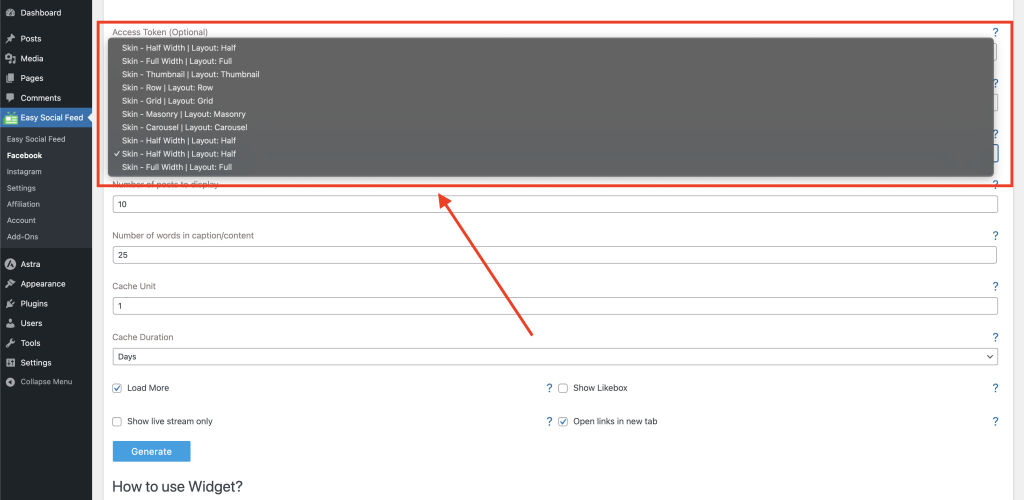
How Load More Works in Easy Social Feed Pro
Here’s how it works step by step:
- You set an initial number of posts to display.
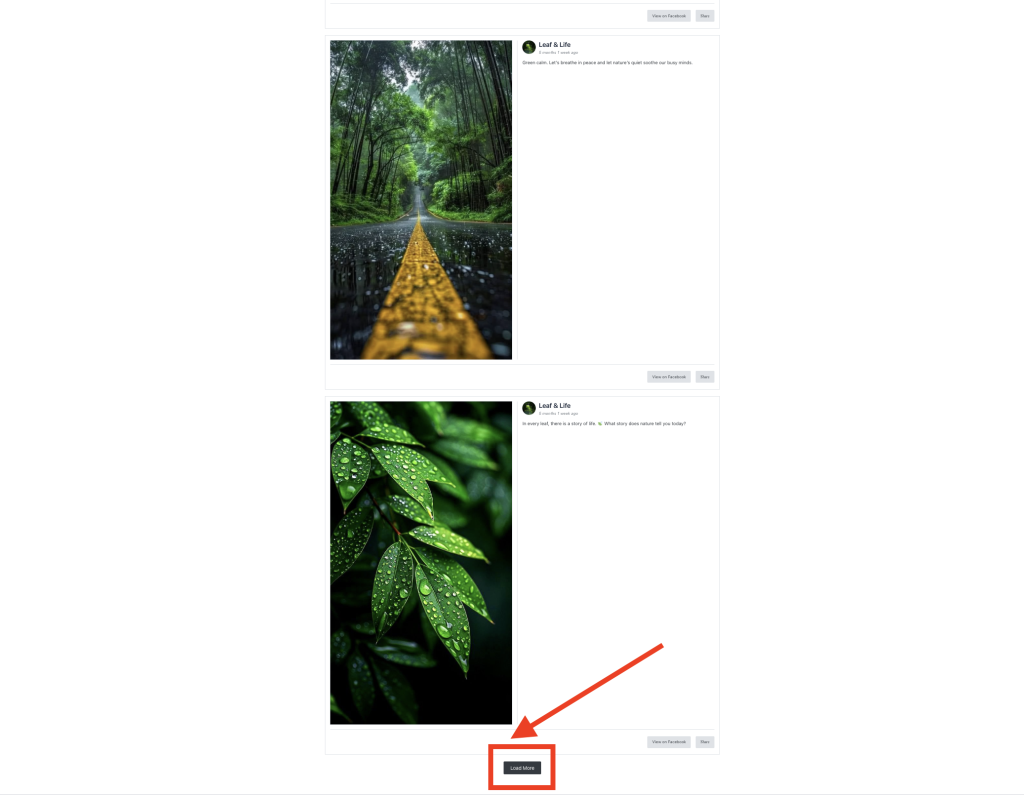
- The Load More button appears below the feed.
- When clicked, additional posts are fetched dynamically.
- The page does not reload.
- Users can continue loading more posts until the feed limit is reached.
This creates a smooth and modern browsing experience.
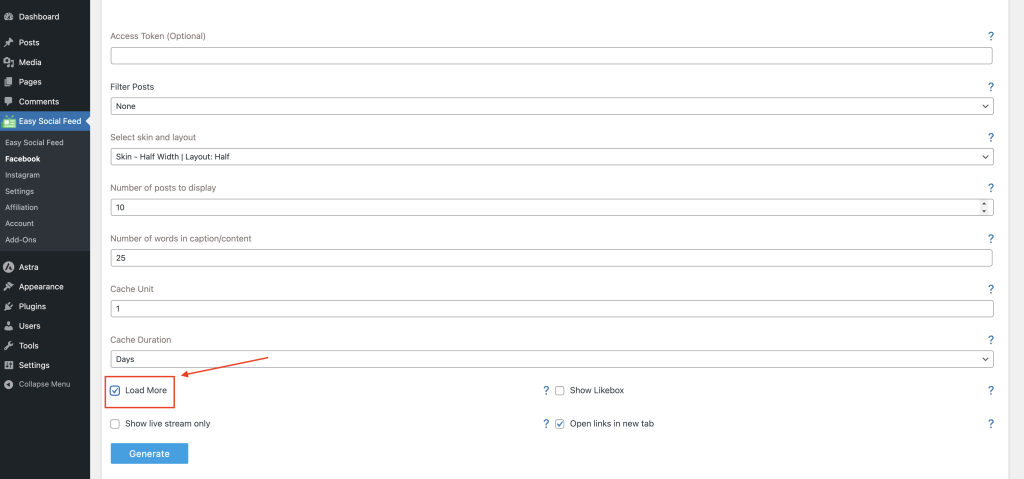
How to Enable Load More (Pro Version)
To enable Load More:
For Facebook:
Easy Social Feed → Facebook → Display / Layout Settings
For Instagram:
Easy Social Feed → Instagram → Display Settings
Look for:
- Post limit settings
- Load More button toggle
- Posts per load configuration
Enable the feature and save your settings.
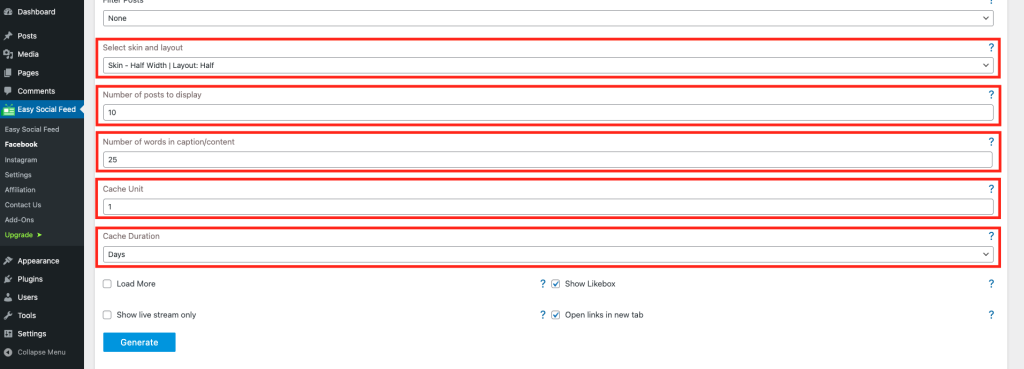
Advanced Load More Options in Pro
The Pro version may include:
- Custom Load More button text
- Button style customization
- Control over the number of posts loaded per click
- Infinite scroll option (auto-load on scroll)
- Animation effects during loading
- Mobile-optimized loading behavior
These features are ideal for:
- Large social pages
- Agencies
- Portfolio websites
- E-commerce stores
- High-traffic blogs
Load More vs Infinite Scroll (Pro)
Easy Social Feed Pro may also support Infinite Scroll.
Instead of clicking a button:
- New posts load automatically when users scroll down.
This mimics the behavior of major social platforms and provides a seamless browsing experience.
Best used for:
- Image galleries
- Portfolio sections
- Social-driven landing pages
Best Practices When Using Load More
To optimize performance:
✔ Start with 6–9 posts initially
✔ Load 3–6 posts per click
✔ Keep mobile layout single-column
✔ Avoid heavy animations
✔ Test speed after enabling
Balanced configuration gives the best results.
Free vs Pro Comparison
| Feature | Free Version | Pro Version |
|---|---|---|
| Fixed post display | ✅ | ✅ |
| Basic post limit control | ✅ | ✅ |
| Load More button | ❌ | ✅ |
| Infinite scroll | ❌ | ✅ |
| Custom button styling | ❌ | ✅ |
| Advanced pagination | ❌ | ✅ |
Free version is suitable for simple feeds.
Pro version unlocks modern dynamic loading.
When Should You Use Load More?
Load More is recommended if:
- Your feed contains many posts
- You want faster page load speed
- You want cleaner layouts
- You want a modern browsing experience
- You’re running image-heavy feeds
It’s especially useful for mobile optimization.
Final Thoughts
The Load More button is a powerful Pro feature that improves:
- Website speed
- User experience
- Design flexibility
- Content organization
While the Free version allows fixed post display, the Pro version gives you complete control over how and when content loads.
If your website depends heavily on social content, Load More is a smart upgrade.